
Let’s be real: most WordPress users didn’t sign up to become social media managers, API wizards, or coding experts. You just want to publish great content and share it with your audience without needing a computer science degree or spending hours copying and pasting links across seven different platforms.
That’s exactly what no-code social media automation delivers. It’s the sweet spot where WordPress meets social media without requiring you to touch a single line of code, wrestle with API keys, or watch confusing tutorials about OAuth tokens.
If the phrase “REST API endpoint” makes your eyes glaze over, this guide is for you.
What “no-code” actually means (and why it matters)
No-code doesn’t mean “less powerful” or “dumbed down.” It means the technical complexity is handled behind the scenes so you can focus on what you’re actually good at: creating content, running your business, and building your audience.
Traditional social media automation tools often require you to:
- Generate API keys from developer portals
- Configure app permissions manually
- Understand webhook callbacks and authorization flows
- Debug cryptic error messages when something breaks
No-code automation removes all of that friction. You click “Connect,” log in to your social account, approve access, and you’re done. The complicated stuff happens in the background where it belongs.
Why WordPress users need automation more than anyone
WordPress powers over 40% of the web, which means millions of bloggers, store owners, agencies, and content creators are publishing new posts, products, and pages every single day. Without automation, each piece of content requires manual social promotion across multiple networks—a process that quickly becomes overwhelming.
Here’s the typical manual workflow:
- Publish your WordPress post
- Copy the URL
- Open Facebook, craft a post, add the link, find an image, publish
- Repeat for Instagram (but crop the image differently)
- Repeat for X (but shorten the text to fit character limits)
- Repeat for LinkedIn (but make it more professional)
- Repeat for Pinterest, Threads, and Mastodon
- Realize you forgot to add hashtags
- Question your life choices
By the time you’re done, 30-45 minutes have passed, and you haven’t even started engaging with comments or creating your next piece of content.
Enter Social Post Flow: WordPress-native, no-code automation
Social Post Flow was built specifically for WordPress users who want powerful social automation without the technical headaches. It’s a WordPress-first plugin that integrates directly into your publishing workflow, turning every new post into an automatic multi-platform social campaign.
The plugin supports Facebook, X, Instagram, Threads, LinkedIn, Pinterest, and Mastodon, with TikTok, Bluesky, and Google Business coming soon. Pricing starts at just $49 per year for up to 5 social profiles—significantly cheaper than most social media management platforms that charge monthly fees.
How no-code automation actually works
The magic happens through secure OAuth connections. Instead of generating API keys or copying tokens, you simply click a button to connect each social account. You’re redirected to the platform (like Facebook or Instagram), you log in and approve access, and Social Post Flow handles the rest.
Once connected, the plugin lives inside your WordPress dashboard alongside your posts and pages. When you publish content, Social Post Flow automatically:
- Pulls your post title, excerpt, URL, and featured image
- Formats everything according to each network’s requirements
- Posts or schedules the content across all connected accounts
- Tracks what’s been shared to prevent duplicate posting
You don’t write a single line of code. You don’t touch configuration files. You just publish and let the automation handle distribution.
Setting up your first no-code automation
The setup process takes about 10-15 minutes, even if you’ve never used automation before.
Step 1: Install the plugin
Download Social Post Flow from the WordPress plugin directory or install it directly from your WordPress dashboard under Plugins > Add New. Activate it and you’ll see a new menu item in your admin sidebar.
Step 2: Create your Social Post Flow account
Sign up for a free 7-day trial at Social Post Flow’s website. No credit card required. Choose your plan based on how many social profiles you need to connect.
Step 3: Connect your social accounts
Inside the plugin settings, you’ll see buttons to connect each supported network. Click “Connect Facebook,” log in when prompted, approve the permissions, and you’re done. Repeat for Instagram, X, LinkedIn, and any other platforms you use.
The entire connection process is visual and guided—no technical knowledge required.
Step 4: Create your status templates
This is where you define what your social posts will say. Social Post Flow uses “dynamic tags” that automatically pull information from your WordPress content.
For example, a simple template might look like:
“New post: {title} – {excerpt} Read more: {url}”
When you publish a post titled “10 WordPress Security Tips,” the plugin automatically transforms that template into:
“New post: 10 WordPress Security Tips – Learn how to protect your site from hackers and malware. Read more: [your-url]”
You can create different templates for different post types, so blog posts, products, and events all get unique messaging.
Step 5: Choose your scheduling preferences
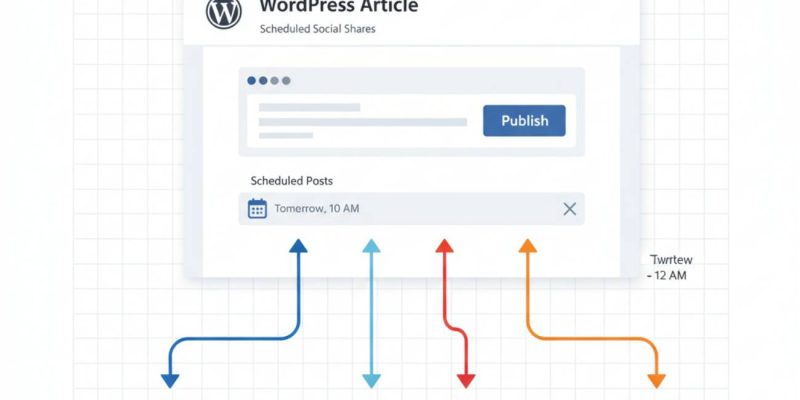
Decide whether you want posts to go out immediately when published, at specific scheduled times, or added to a queue that distributes them throughout the day. Social Post Flow handles all the timing automatically based on your preferences.
No coding required: real examples
Let’s look at what no-code automation looks like in practice for different WordPress users.
The blogger: Sarah publishes 3 recipe posts per week. She’s connected her Instagram, Pinterest, and Facebook accounts. Every time she hits publish, the post automatically shares to all three platforms with recipe-specific templates she created once during setup. She hasn’t manually posted to social media in 6 months.
The WooCommerce store owner: Mike adds new products daily. Each product automatically posts to Instagram and Pinterest with product images, descriptions, and links. His conditional rules ensure only products in the “Featured” category get promoted, while clearance items skip social altogether.
The agency manager: Laura manages 12 client WordPress sites. Using Social Post Flow’s multi-account support, she’s automated social posting for all clients from their individual WordPress dashboards. Different clients use different templates and schedules, but none of it requires custom code.
Advanced features (still no coding needed)
Even the powerful features remain accessible through visual interfaces.
Conditional publishing rules let you filter which posts get shared based on categories, tags, authors, or custom fields. You create these rules using dropdown menus and checkboxes—no PHP required.
Content recycling automatically reshares older evergreen posts on a schedule you define. Set it to resurface posts older than 90 days, and your social feeds stay active even when you’re not publishing new content.
Bulk actions let you select multiple old posts and republish them to social media in one click. Perfect for promoting your archive or filling scheduling gaps.
Multiple messages per post means one WordPress article can automatically generate several different social updates spread over days or weeks—all configured through simple form fields.
For more detailed setup guidance, check out the WordPress integration documentation that walks through every feature step-by-step.
What about Zapier? (Also no-code)
Social Post Flow includes Zapier integration, which extends automation beyond WordPress without requiring coding skills. Zapier is a no-code platform that connects thousands of apps using visual “Zaps.”
You could create workflows like:
- When a new row is added to Google Sheets → post to social media
- When a Trello card is moved to “Published” → share on LinkedIn
- When an Airtable record is updated → create Instagram post
These automations are built using drag-and-drop interfaces and dropdown menus. If you can fill out a web form, you can build Zapier workflows.
Common “but what if…” questions answered
“What if I want to customize one post differently?”
You can manually edit any social post before it goes out, or skip automation entirely for specific posts. The plugin gives you control without forcing you into rigid workflows.
“What if a social network changes something?”
Social Post Flow is actively maintained and updated. When platforms change their APIs or requirements, the plugin updates automatically—you don’t need to fix anything yourself.
“What if I want to add images or videos?”
The plugin automatically pulls your featured images and formats them for each network. You can also add custom images through the interface without touching media libraries or file paths.
“What if I mess something up?”
There’s a testing mode that lets you preview posts before they go live. You can also easily disconnect and reconnect accounts, or disable automation temporarily without losing your settings.
Why this matters more than you think
Time is your most valuable resource. Every hour spent on manual social posting is an hour not spent on:
- Creating better content
- Engaging with your actual audience
- Growing your business
- Actually enjoying your life outside of work
No-code automation isn’t about being lazy—it’s about being strategic. It’s recognizing that copying and pasting links doesn’t require your unique skills and expertise. Let automation handle the repetitive distribution work so you can focus on the creative and strategic work that actually moves the needle.
Plus, consistency matters on social media. Automation ensures you show up reliably across platforms even during busy weeks, vacations, or when life gets chaotic. Your audience doesn’t know (or care) whether posts were automated—they just appreciate the consistent value.
Getting started today
The barrier to entry has never been lower. Social Post Flow offers a 7-day free trial with full access to all features, so you can test the entire workflow without financial risk.
Install the plugin, connect a couple of social accounts, create one simple status template, and publish a test post. Within 15 minutes, you’ll see your WordPress content automatically appearing across social media—no code, no complexity, no headaches.
If you’re tired of the manual social media grind and ready to automate your WordPress workflow the easy way, it’s time to let no-code automation do the heavy lifting. Your future self (and your sanity) will thank you.
Follow @socialpostflow on X for tips, updates, and automation strategies that keep you ahead of the curve without requiring a tech degree.


